Uzbek Subtitle Generator — AI subtitles for Uzbek videos.
UzCaption turns Uzbek speech into accurate, correctly timed subtitles. Send a video, get back a captioned video or an SRT file. Built in Tashkent, for Uzbek.
What is UzCaption?
UzCaption is an AI subtitle service built specifically for the Uzbek language, not a general multilingual tool with Uzbek added to a long list. That focus shows up everywhere: the recognition is tuned for Uzbek speech, the interface and support are in Uzbek, and pricing is in Uzbek som.
It handles the details that matter in written Uzbek — the apostrophes in o' and g', punctuation, and the way words break across caption lines.
How it works — 3 steps
Send your video
Upload it to the Telegram bot, the web editor, or start a job from the Premiere Pro plugin.
AI writes the text
Speech is transcribed into Uzbek and aligned to the correct timing, automatically.
Download the result
Get a video with captions burned in, or a plain SRT file for your own editor.
What you get
- Telegram bot — @uzcaptions_bot, the fastest way to caption a video from your phone.
- Web editor — ijodxona.caption.uz, with 27+ caption styles you can apply and preview in the browser.
- Adobe Premiere Pro plugin — caption.uz/plugin, generate subtitles without leaving your timeline.
- SRT export — a standard subtitle file that works in Premiere Pro, DaVinci Resolve, CapCut, YouTube and elsewhere.
- Languages — video in Uzbek, Russian, English, Tajik or Karakalpak (beta); subtitles translated into those five plus Uzbek in Cyrillic.
- iOS and Android apps — coming soon.
Pricing
5 minutes every month, free. No card needed.
Pro — 100 minutes / month, most popular. Translation, the Premiere/After Effects plugin, buy extra minutes; unused minutes carry over.
Max 5× — 500 minutes / month. Everything in Pro.
Max 20× — 2,000 minutes / month. Everything in Pro.
Paid plans can also be bought for 3 months (10% off) or 6 months (20% off) — minutes are still granted every month, not all at once. A video is accepted up to 60 minutes; you're billed for the exact number of seconds it runs, from your plan's monthly minutes — no rounding up to the next minute. USD figures are approximate conversions of the UZS price.
Who builds this
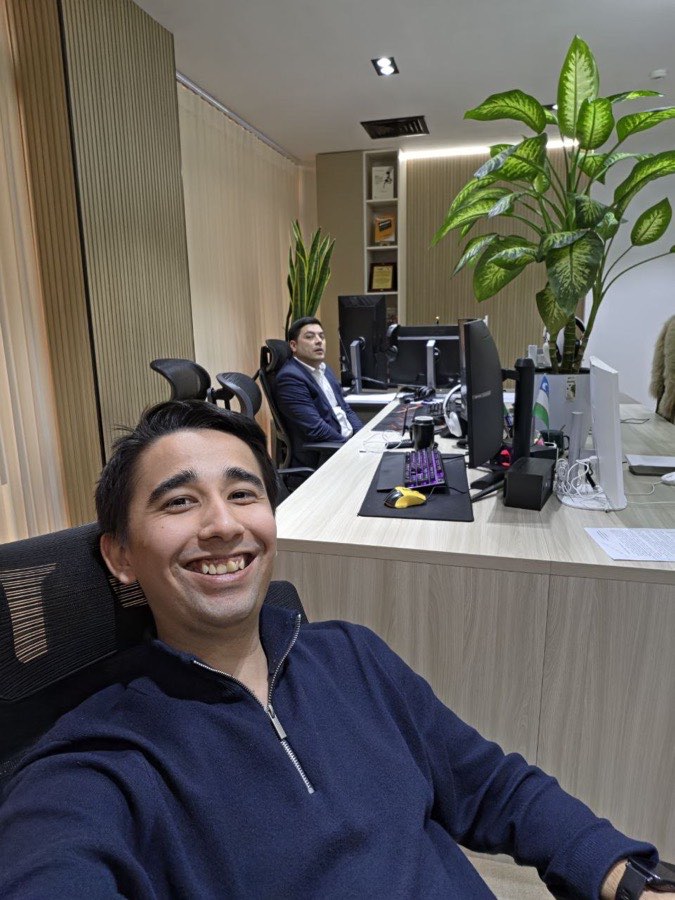
Five years behind a camera, and 30–40 minutes lost to subtitling every single video by hand. UzCaption started as the tool he wanted for his own work, in Tashkent, and became a product once other Uzbek creators asked for it.
FAQ
What is UzCaption?
UzCaption is an AI subtitle service built specifically for the Uzbek language. You send a video, it recognizes Uzbek speech, and returns either a video with captions burned in or a separate SRT file.
How do I generate Uzbek subtitles?
Three steps: send your video to the Telegram bot @uzcaptions_bot or open the web editor, wait while the AI transcribes and times the speech, then download the captioned video or the SRT file. Video is accepted up to 60 minutes; you're billed for the exact number of seconds in it, from your plan's monthly minutes.
How much does it cost?
Bepul: 5 minutes every month, free. Paid plans (from 1 month, cheaper on 3 or 6): Pro 89,000 UZS/mo (about $7) for 100 minutes — most popular, Max 5× 149,000 UZS/mo (about $12) for 500 minutes, Max 20× 399,000 UZS/mo (about $32) for 2,000 minutes.
Can I get an SRT file instead of a captioned video?
Yes. Every job can be downloaded as an SRT subtitle file, which you can import into Premiere Pro, DaVinci Resolve, CapCut, YouTube or any other editor. Subtitles can also be translated into 6 languages: Uzbek (Latin and Cyrillic), Russian, English, Tajik and Karakalpak.
Does it work inside Adobe Premiere Pro?
Yes. UzCaption has an Adobe Premiere Pro plugin, so you can generate Uzbek subtitles without leaving your editing timeline. Details are at caption.uz/plugin.